
GPS Maps, Service Area and Routes in monday.com
Add service areas, optimized routing and locations automation to monday.com.

Last Updated: December 30, 2025
About app
Make use of your monday CRM map board views by adding service area, routing and ability to add items straight from the maps. Use census data like average income, zip code or county boundaries in monday board automations to automate your business!
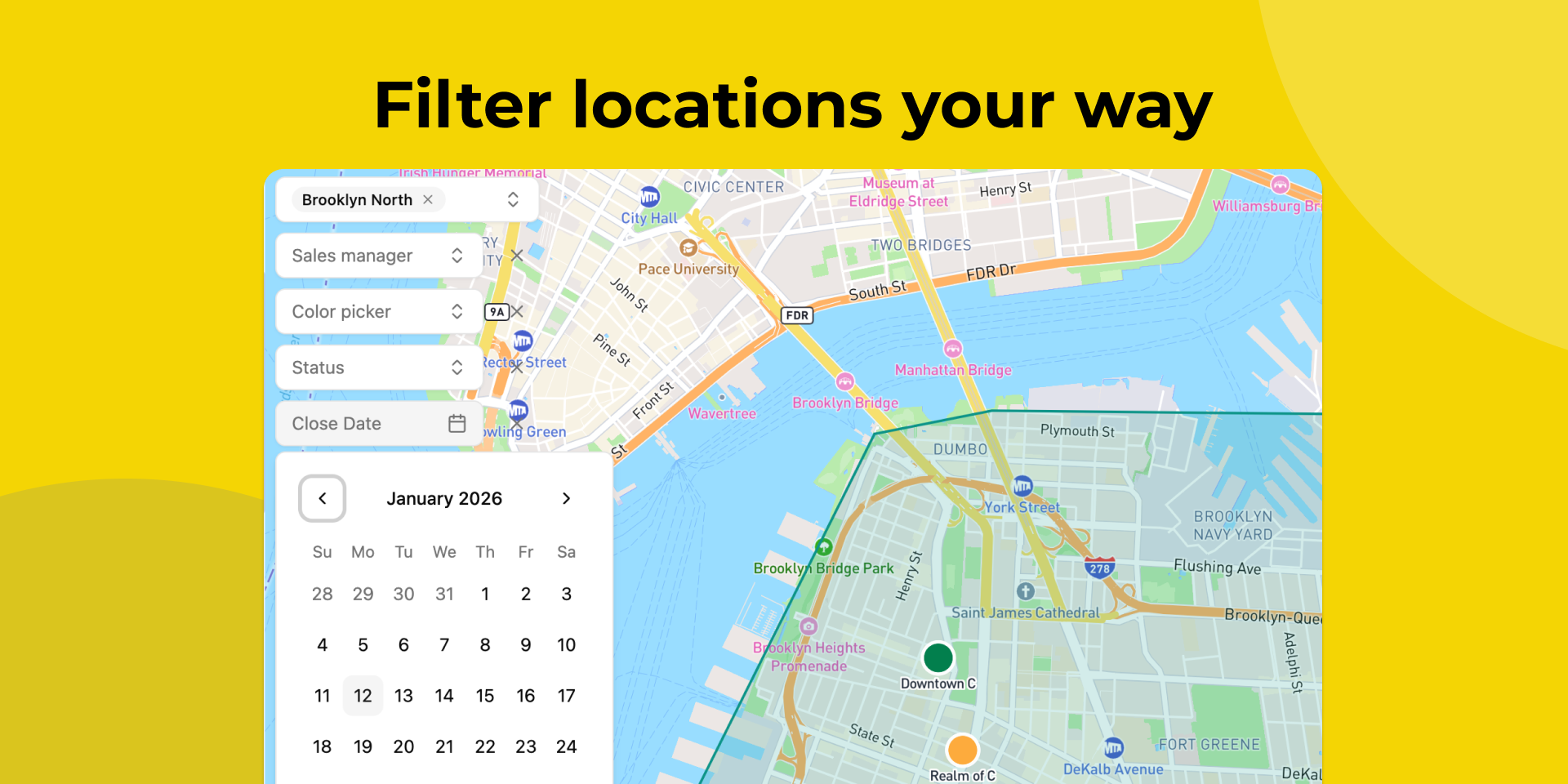
Visualize every location on an interactive map
Our locator app plots all your monday.com Location columns on an interactive map view. See leads, customers, service calls, deliveries, and field operations visualized geographically in real time across cities and regions.
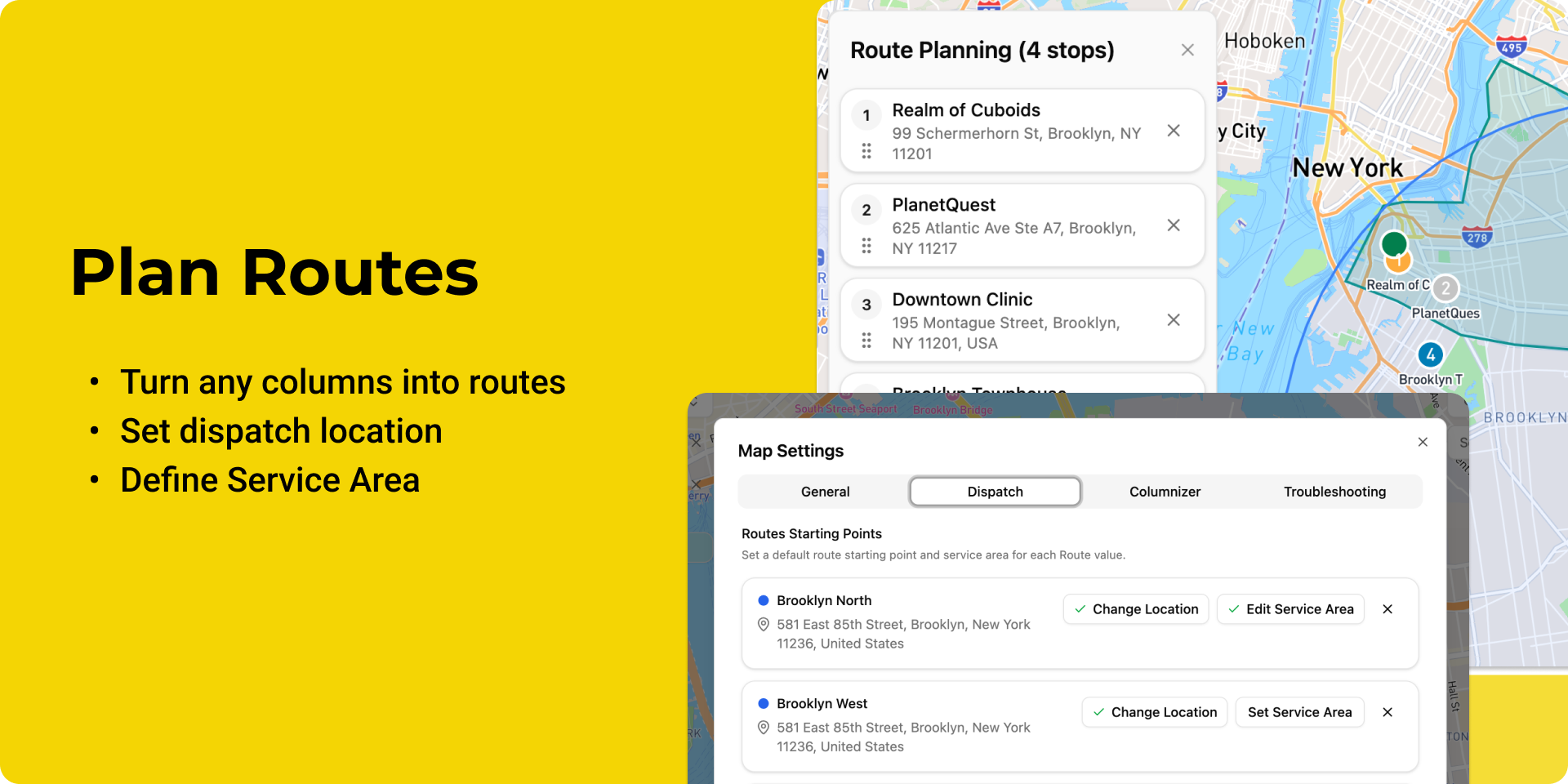
Smart route planning & dispatching
Plan optimal routes for field teams with our routing engine. Set a dispatch location, select multiple destinations, and automatically calculate the most efficient path by distance and travel time. Export routes to Google Maps for turn‑by‑turn GPS navigation or download as PDF for offline use.
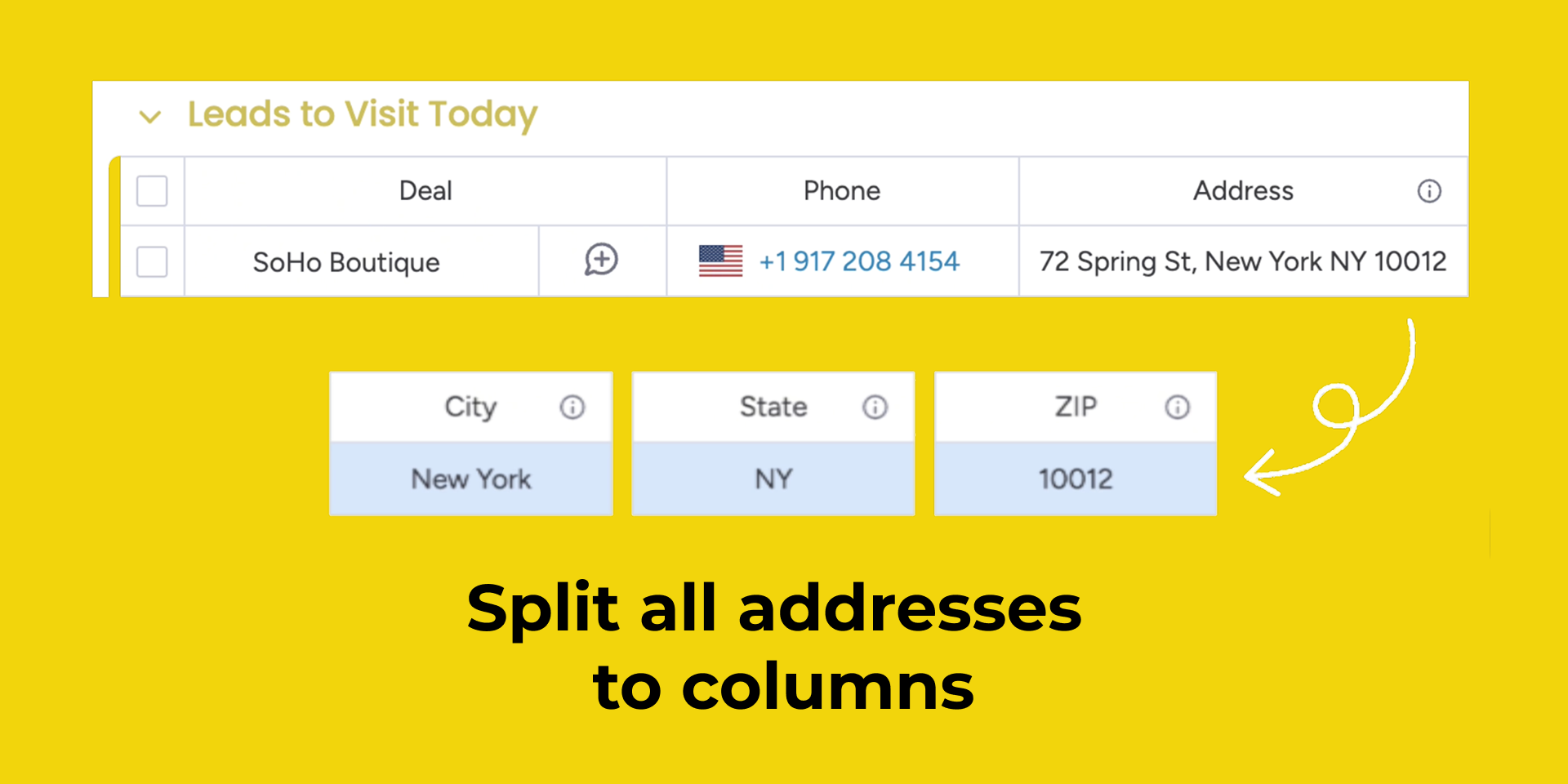
Auto-parse location data
Automatically split full addresses into Address, City, State, and Zip Code. Use location parsing for filtering, sorting, and automation by geography. Assign leads by Zip Code, route service calls by City, and track coverage by State.
Want the deep-dive? Read: Columnizer: how Locator turns addresses into columns (and what the “latest stops” limit means).
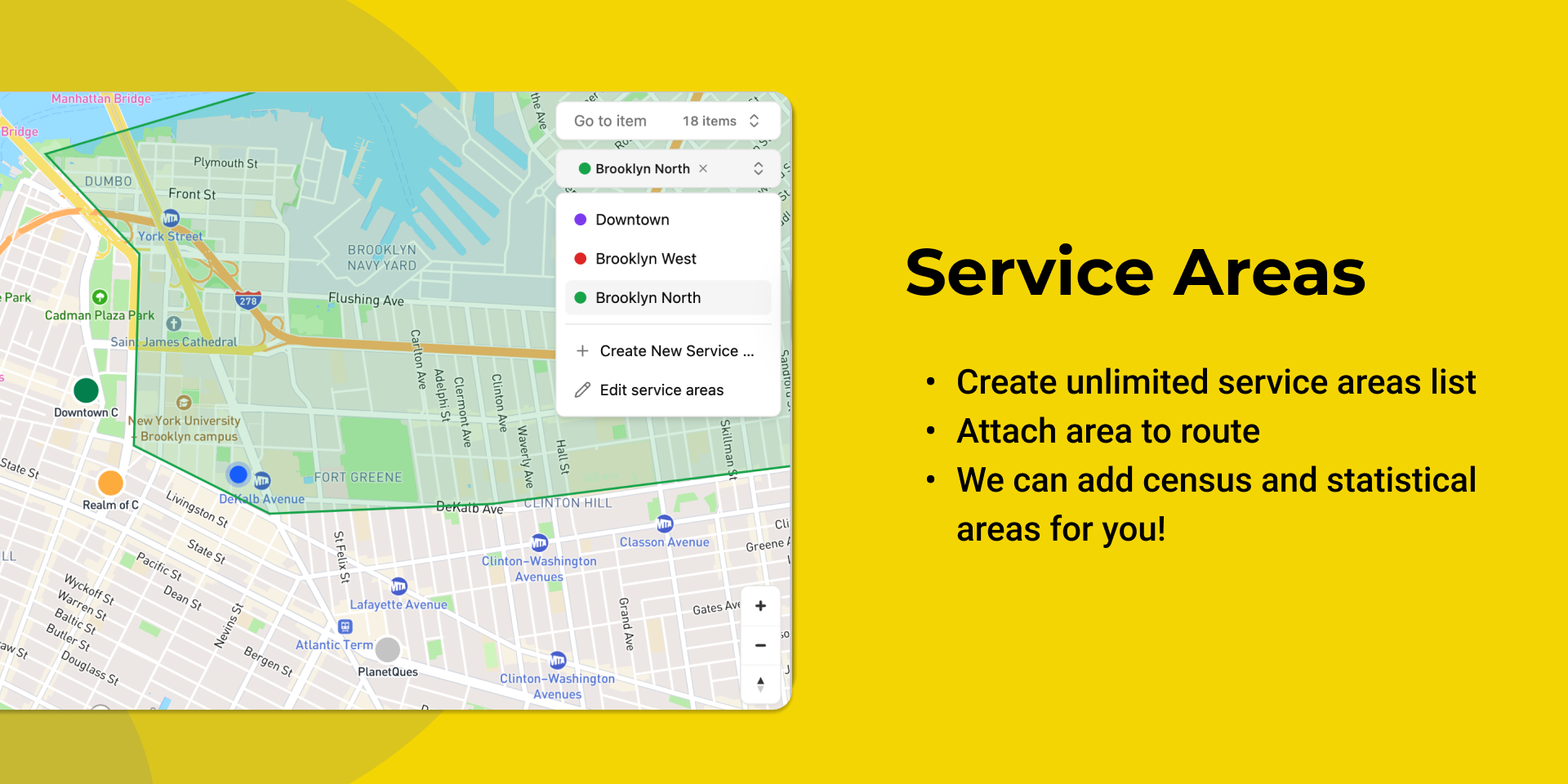
Define and visualize Service Areas
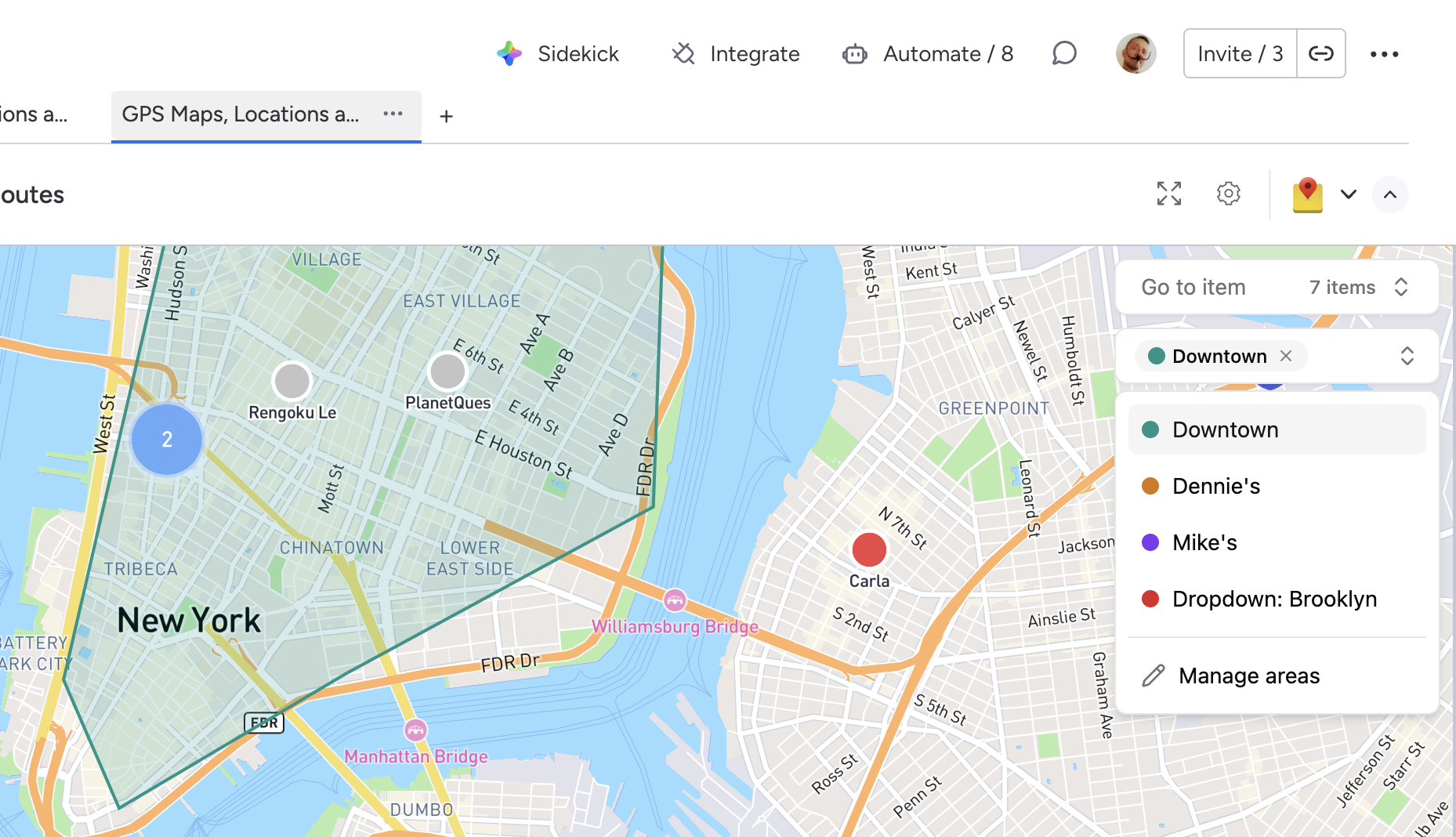
Overlay geographic boundaries on your map to understand coverage, plan marketing, or segment operations by territory. Use built-in datasets (US zip codes, US city boundaries) or create custom regions for sales territories, delivery zones, or franchise areas.

Learn more: Service Areas: Define and visualize geographic boundaries.
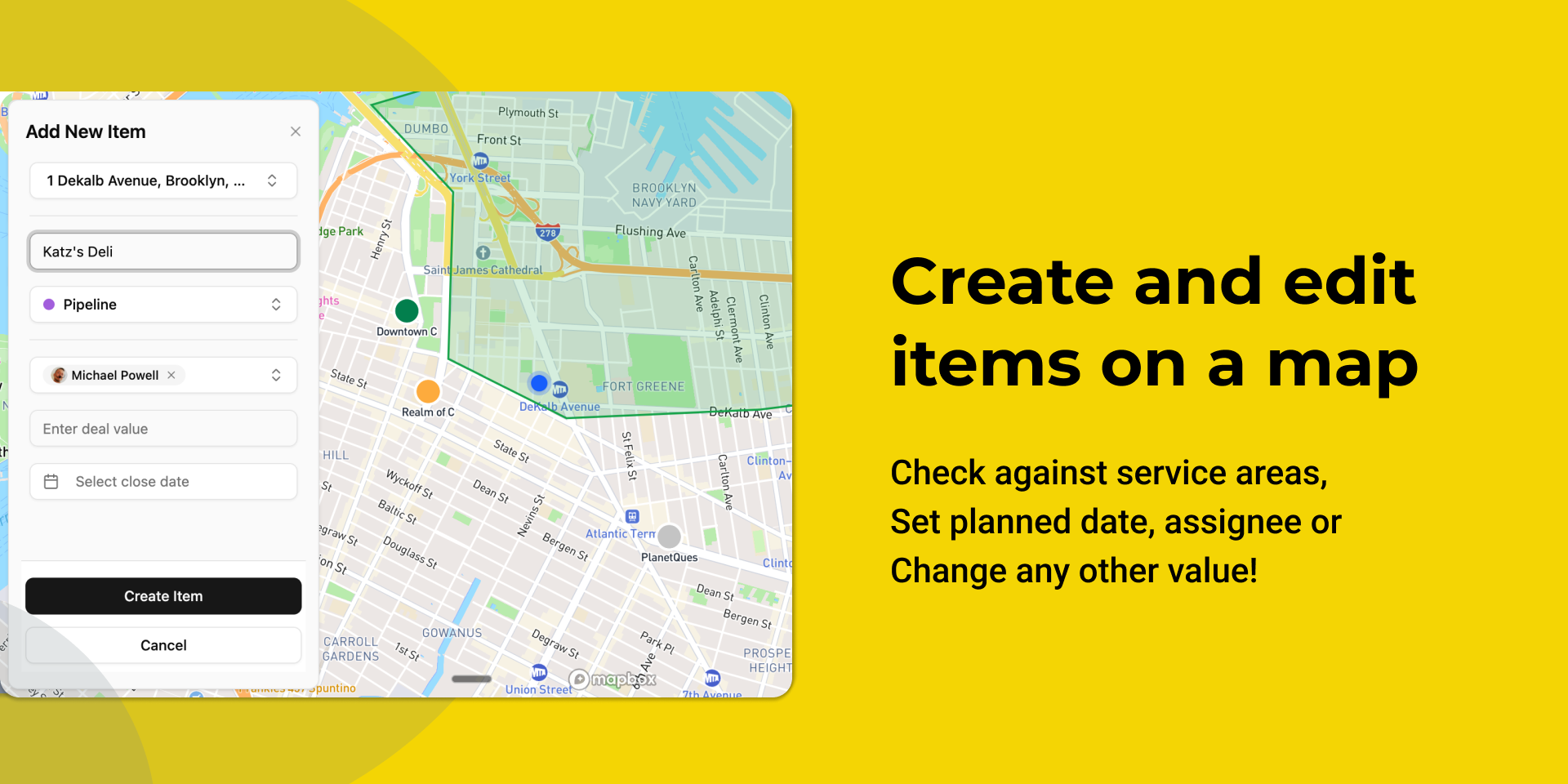
Edit items directly from map view
Click any GPS pin to view and edit item details without switching views. Update deal stages, assign team members, change priorities, or add notes. Changes sync instantly to your monday.com board.
Ideal for
- Field sales teams planning daily visits
- Service locators coordinating technician routes
- Delivery operations optimizing driver schedules
- Property managers visiting multiple locations
- Any mobile workforce that needs live dispatching and coordination
Key features
- 📍 Interactive map visualization of all Location columns
- 🧭 Intelligent route planning with optimized dispatching
- 🚗 GPS integration with Google Maps export
- 🏙️ Automatic location parsing (Address, City, State, Zip Code) — learn how Columnizer works
- 🗺️ Service Areas for territory visualization and automation — learn how Service Areas work
- ✏️ Edit board items directly from map view
- 🗂️ Filter maps by board groups for focused routing
- 🌐 Cluster view for high‑density location areas
- 🔄 Real-time sync between map and board data
💬 Let us know if you need any assistance or have a feature request.
How to use Locator: GPS Map and Routes
Adding the app
- Click the Add to monday button at the top of this page.
- Open the desired board and add a new Board View.
- Search for “Locator: GPS Map and Routes” and add it as a view.
Configuring your map view
- Choose the board that contains your Location column(s).
- Select which Location column(s) you want to display on the map.
- Optionally filter by groups, statuses, or owners to focus on specific regions or teams.
- Save your configuration to load all pins onto the interactive map.
Planning and exporting routes
- From the map view, select one or more pins you want to visit.
- Set your starting point (dispatch location or current position).
- Let the routing engine calculate the optimal sequence by distance and travel time.
- Export the route to Google Maps for turn‑by‑turn navigation or download a PDF for offline use.
Editing items from the map
- Click any pin on the map to open its item details.
- Update fields such as status, priority, assignee, or notes directly in the side panel.
- All changes are instantly reflected on your monday.com board.
Removing the app
- Go to the Installed apps section of your monday.com account.
- Select Locator: GPS Map and Routes.
- Use the More […] menu to choose Uninstall app.
- Once you uninstall the app, your subscription will be cancelled immediately.
Pricing
| Plan | Limit | Monthly | Annual |
|---|---|---|---|
| Trial | 30 latest items per board | free 14 days | $5.00 |
| Map view only | $12.00 | $9.00 | |
| Maps and routing | $15.00 | $12.00 | |
| Maps, routing and Columnizer 100 | 100 latest stops | $17.00 | $16.00 |
| Maps, routing and Columnizer 500 | 500 latest stops | $25.00 | $26.00 |
| Maps, routing and Columnizer 1000 | 1000 latest stops | $35.00 | $26.00 |
| Enterprise | More than 1000 latest stops | $35.00 |
Use form below to contact us with any requests 👇
Have a question or want to
work together?
We'd love to hear from you. Drop us a line and we'll get back to you shortly.